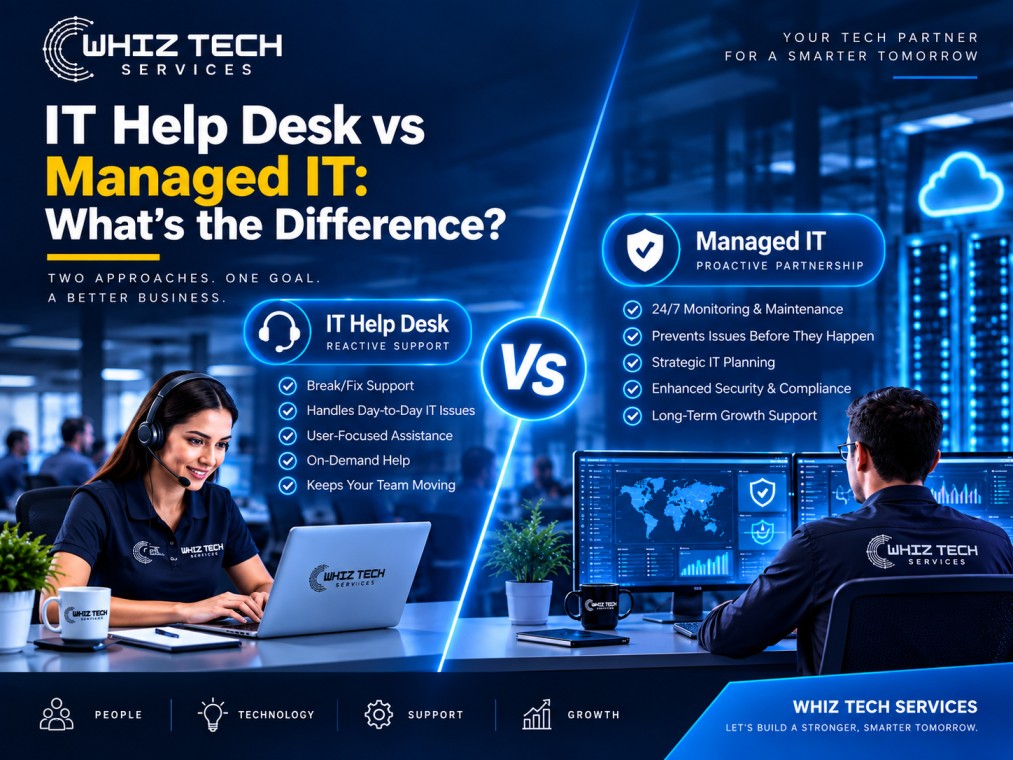
IT help desk services focus on reactive, ticket-based support for day-to-day technical issues, while managed IT covers proactive monitoring, security, and strategic planning across your entire technology environment. The average support ticket takes over three days to resolve across industries when handled reactively, according to a 2026 ticket backlog analysis of more than 1,000 companies. Understanding this difference helps you choose the right level of support instead of paying for the wrong one.
What Is an IT Help Desk Service?
An IT help desk service provides reactive support when an employee runs into a technical problem, such as a password reset, software error, printer issue, or email problem. Support is delivered through a ticketing system, and the focus is on resolving individual issues as they come up.
Key characteristics of IT help desk services include:
-
Ticket-based support requests
-
Defined response-time expectations
-
A focus on fixing problems after they occur, not preventing them
What Is Managed IT?
Managed IT is a broader, proactive approach to technology support that includes help desk services as just one component. It also covers 24/7 network monitoring, cybersecurity management, patch management, vendor coordination, and long-term technology planning.
Where IT help desk services react to problems, managed IT Services is designed to catch and resolve issues before they cause downtime or become a support ticket at all.
IT Help Desk vs Managed IT: Side-by-Side Comparison
|
Factor |
IT Help Desk Services |
Managed IT |
|
Approach |
Reactive, fixes issues after they occur |
Proactive, works to prevent issues |
|
Scope |
User support tickets |
Full IT infrastructure management |
|
Monitoring |
Limited or none |
24/7 network and system monitoring |
|
Security |
Not typically included |
Ongoing threat detection and patching |
|
Planning |
Not included |
Quarterly IT roadmap and budgeting |
|
Best fit |
Businesses with solid infrastructure already in place |
Businesses wanting complete, hands-off IT management |
Why Does the Difference Between Help Desk and Managed IT Matter?
The difference matters because reactive-only support leaves real gaps that can turn into costly downtime. Research from a 2026 IT help desk benchmark report analyzing more than 50,000 tickets found that 22% of all support tickets are productivity-blocking, meaning employees cannot work at all until the issue is resolved.
Separate workplace experience data shows employees lose an average of 3.22 hours of productivity per IT incident while waiting for a fix. Without proactive monitoring, these incidents happen more often and take longer to catch in the first place.
Which One Does Your Business Need?
Choose IT help desk services if:
-
Your infrastructure, security, and monitoring are already well managed elsewhere
-
You mainly need reliable support for day-to-day user issues
-
Your team is small enough that reactive support rarely causes major disruption
Choose managed IT Services if:
-
You want to prevent downtime instead of only reacting to it
-
Nobody is currently monitoring your network, backups, or security
-
You want a single partner accountable for your entire IT environment
-
Your business has grown past what ad-hoc, reactive support can reliably handle
What Extra Coverage Does Managed IT Add On Top of Help Desk?
Managed IT layers several proactive tools and processes on top of standard help desk support that most businesses don't have visibility into until something goes wrong.
-
Automated patch management, so software vulnerabilities are closed before they can be exploited
-
Endpoint detection, which flags unusual activity on laptops and servers in real time
-
Backup verification, confirming that backups are actually restorable, not just running
-
Vendor management, where your IT partner deals directly with software and hardware vendors on your behalf
-
Quarterly technology reviews, aligning your IT budget and roadmap with business growth plans
None of these are part of a standard help desk ticketing system, which is why businesses that rely on help desk support alone often have larger, hidden gaps in their overall security posture.
What Response Time Should You Expect at Each Support Level?
Response time expectations differ significantly between basic help desk support and a fully managed IT plan, and this difference should be clearly defined in any service agreement before you sign it.
|
Support Tier |
Typical First Response |
Typical Resolution |
|
Basic help desk (no SLA) |
Hours to a full business day |
Multiple days for complex issues |
|
Standard IT help desk services |
Within 1-2 hours |
Same business day for most tickets |
|
Managed IT with monitoring |
Often resolved before a ticket is needed |
Issues caught and fixed proactively |
If your current provider cannot clearly state their response time commitments, that alone is a sign it's worth comparing other options.
Can a Business Get Both Help Desk and Managed IT Together?
Yes, and most businesses end up with both. A complete managed IT plan already includes IT help desk services as one of its core components, so the decision is rarely about choosing one over the other. It is really about deciding whether reactive support alone is enough, or whether your business needs a proactive partner managing the full environment.
How Do You Evaluate a Help Desk or Managed IT Provider?
Evaluating a provider comes down to response time guarantees, monitoring capabilities, and transparent reporting.
-
What is the guaranteed first-response time for a support ticket?
-
Is monitoring included, or only reactive ticket handling?
-
Do they provide monthly reports on ticket volume, resolution time, and uptime?
-
What security measures are included as standard, if any?
-
How do they handle after-hours or emergency issues?
Frequently Asked Questions
Is IT help desk cheaper than managed IT?
IT help desk-only services are typically less expensive than full managed IT, but they only cover reactive support. Without proactive monitoring, underlying issues like security risks or aging hardware can go unnoticed until they cause a larger, more costly problem.
Can I upgrade from help desk-only support to full managed IT later?
Yes, this is a common and straightforward transition, since help desk support is usually already included as part of a broader managed IT plan. Most providers can add monitoring, security, and strategic planning without disrupting existing support.
How fast is response time for IT help desk services?
Quality IT help desk providers acknowledge tickets within minutes and resolve common issues remotely the same day. Industry data shows the average reactive support ticket can take over three days to fully resolve without dedicated monitoring in place.
What counts as a productivity-blocking IT issue?
A productivity-blocking issue is one that stops an employee from working entirely until it's resolved, such as a login failure or a critical application crash. Recent help desk benchmark data found that 22% of all support tickets fall into this category.
Does managed IT completely replace the need for a help desk?
No, managed IT includes help desk support rather than replacing it. Managed IT simply adds proactive monitoring, security, and planning on top of the same reactive support a help desk-only plan would provide.
Not Sure Which Level of Support You Need?
The right fit depends on how much proactive coverage your business currently has in place. Talk to our team for a free consultation to find the right level of support for you.